Describe what you want in plain words,
and AI builds the automation macro for you
No coding, no complicated setup. Just write “when this happens, do that,” and AI creates a macro that automates your Windows for you.
Completely free · Runs on your PC · No data sent outside
Latest version 1.0.8
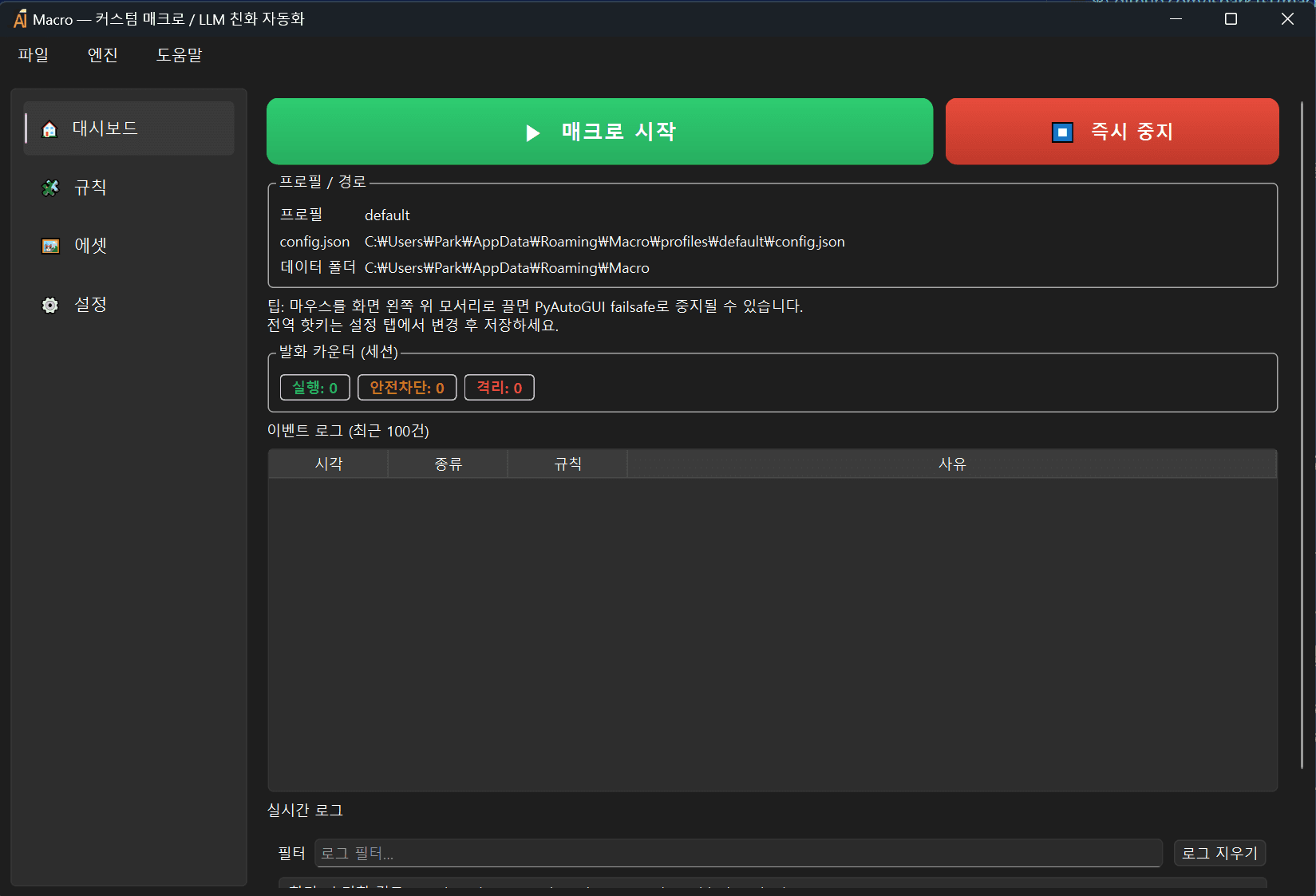
A macro is when the computer automatically does the repetitive tasks you used to do by hand (clicking, typing, switching windows, etc.). It used to be tricky to make — now you just tell the AI in plain words.
Why you'll like it
No learning curve — anyone can use it right away.
Just describe it
No complex setup, no coding. Write what you want in plain language and AI builds the macro for you.
Watches the screen and clicks
When a specific button, image, or text appears on screen, it clicks and types for you — just like a person would.
Runs at the right moment
Set a 'when' — a time, a hotkey, a screen change — and the computer acts on its own each time.
Stop safely, anytime
Press F11 once, or hold ESC, to stop instantly. Risky actions always ask once before running.
This easy to use
From install to your first automation in just 3 steps.
Write what you want in plain words
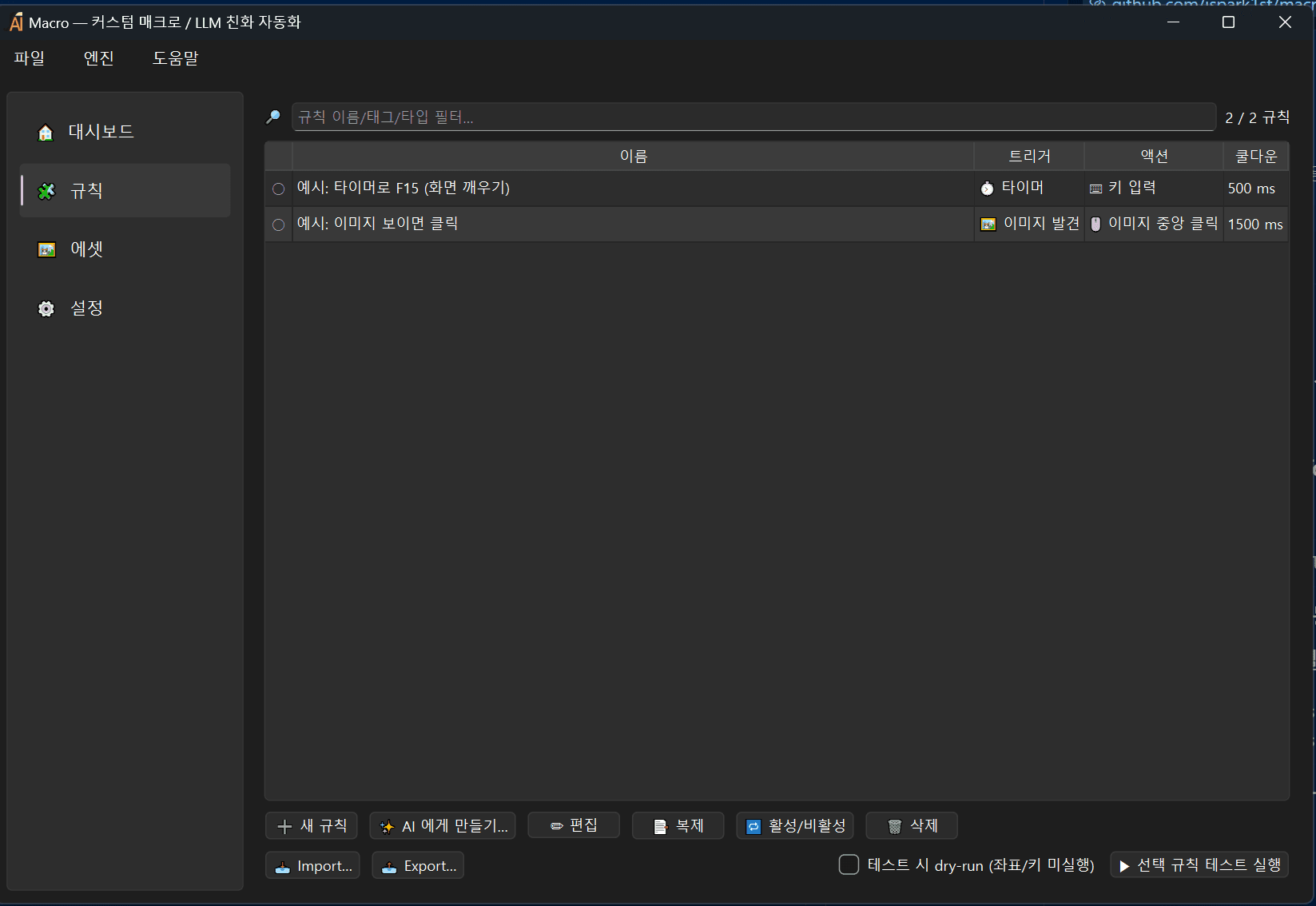
Click 'Ask AI to build it' and describe your task in plain language. E.g.: “Every morning at 9, open Notepad and type 'clocked in'.” AI turns it into a working macro instantly.
Connect AI just once
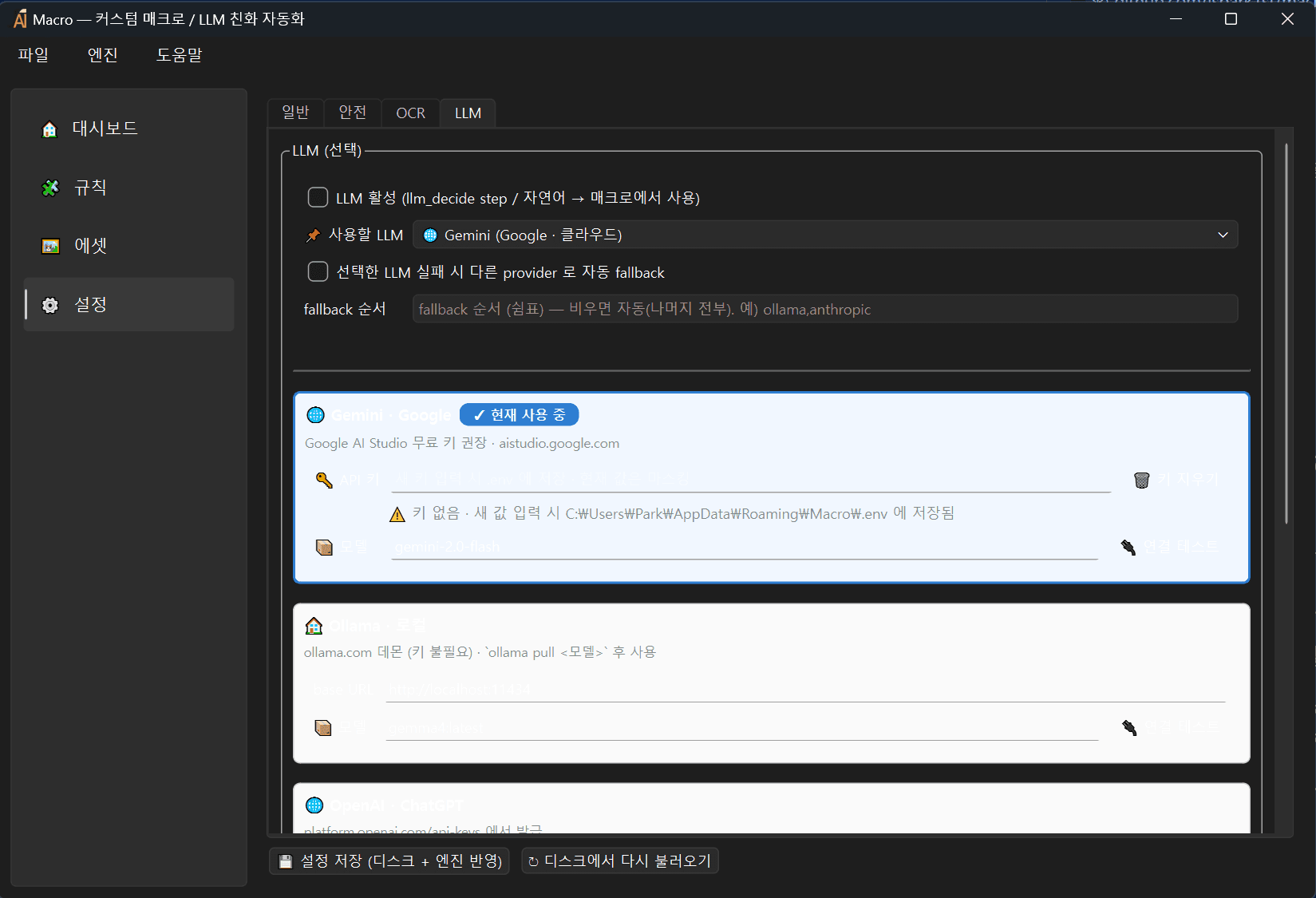
Pick an AI and enter a key — once. You can use free AIs like Google Gemini, and even a free local AI (Ollama). If one fails, it auto-switches to another.
Press Start (F12) and you're done
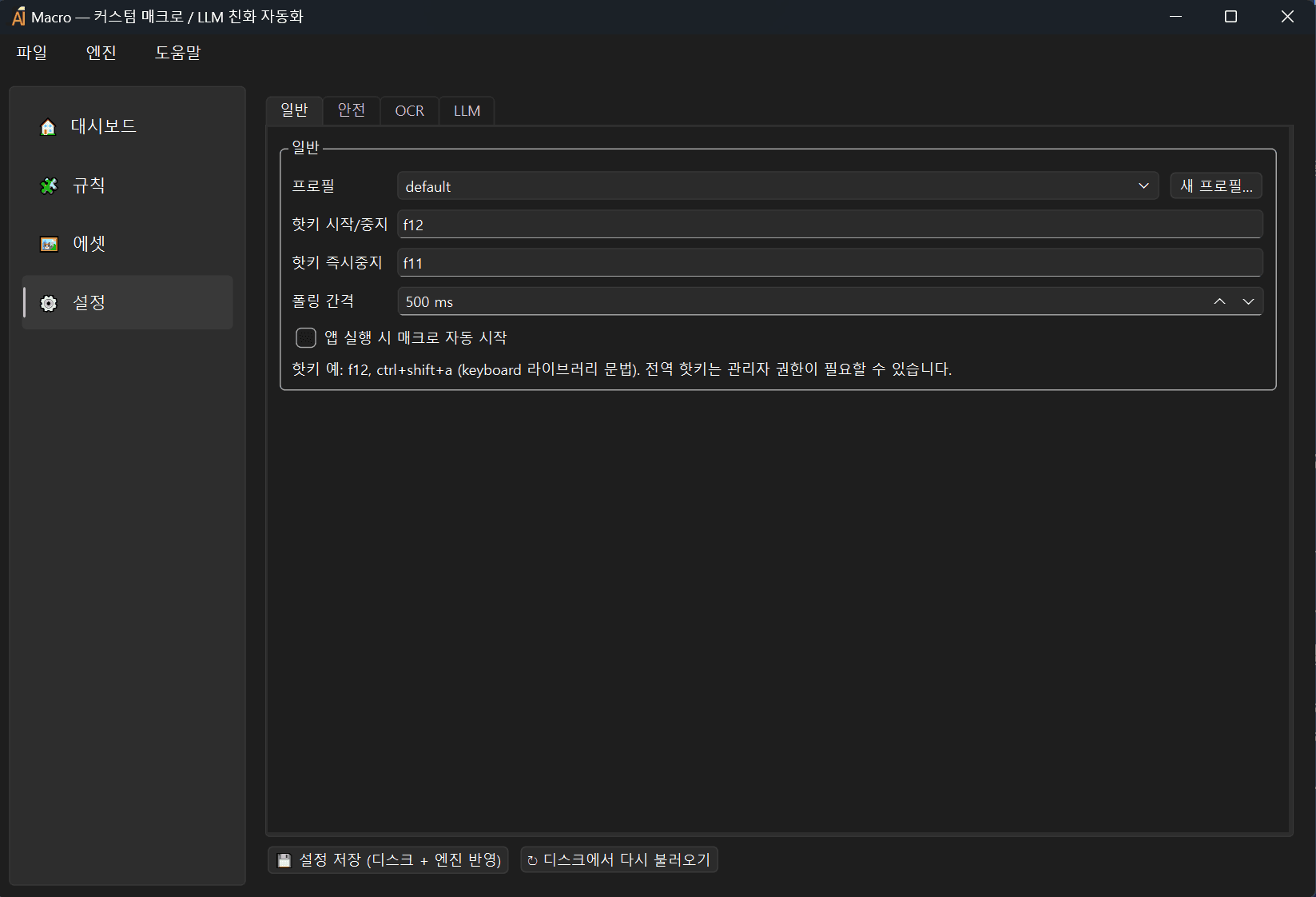
Turn on your macro and the computer works according to the conditions you set. Press F11 to stop. Everything runs only on your own PC.
Here's what it can automate
When this… · …do this
When this…
The condition that starts it
…do this
The action the computer performs for you
Why not let AI control it directly?
There's a better way — borrow AI's smarts only when building.
AI watching the screen and driving it directly
The recent 'AI agent' approach
- Slow — it asks the AI on every single action
- Costs money every time you use it
- Decisions vary each run, so results are inconsistent
- Streams your screen to a cloud AI (privacy concern)
- Stops working if the internet or AI goes down
AI 'builds' it, the macro 'runs' it
The best of both approaches
- Runs instantly without AI — fast
- Uses AI only once when building — running is free
- Always behaves exactly as defined
- Runs only on your PC — never sends your screen out
- Once built, runs even without the internet
Smart AI is used only once to build the macro, and it runs on your own fast, safe PC — so it's fast, cheap, and secure.
(If the program's screen changes significantly, you just tweak the macro a bit. For well-defined repetitive tasks, it's the most efficient.)
We can build software like this for you
We built JunAI Macro Studio too. Websites, apps, admin systems, workflow automation — tell us what you need and we'll build it fast and affordably with AI.
Start free today
Install it, describe your task in plain words, and press start. Five minutes is enough to break free from repetitive work.
Latest version 1.0.8